Choose references
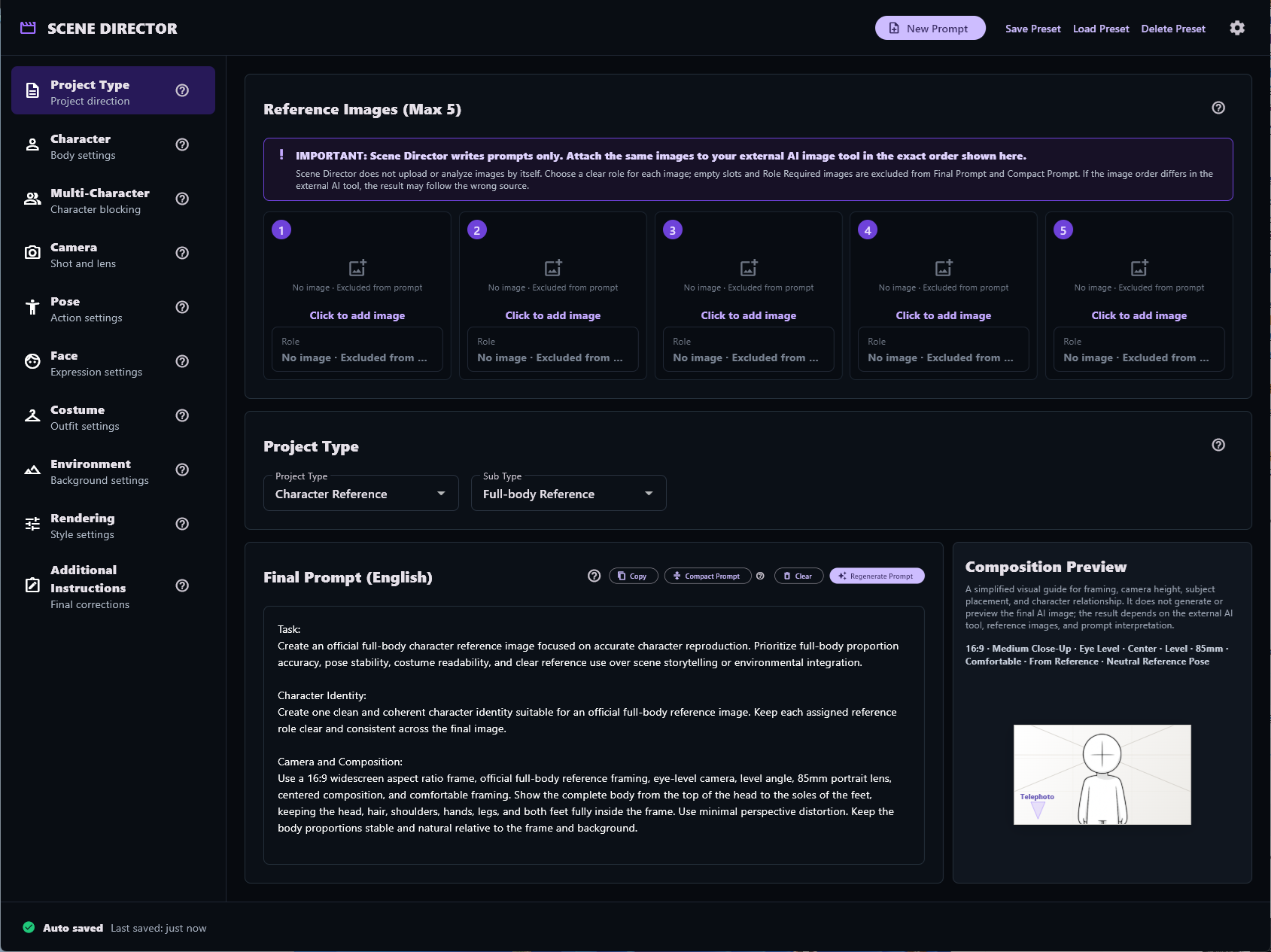
Select a Project Type, add up to five reference images, and assign a clear role to each one.

URSUS Loft product
Structured creative direction for image-to-image generation.
A local prompt drafting and reference organization tool for external AI image generation workflows.
Developed and published by URSUS LoftCreator credit: BEAR Works

Inside the app
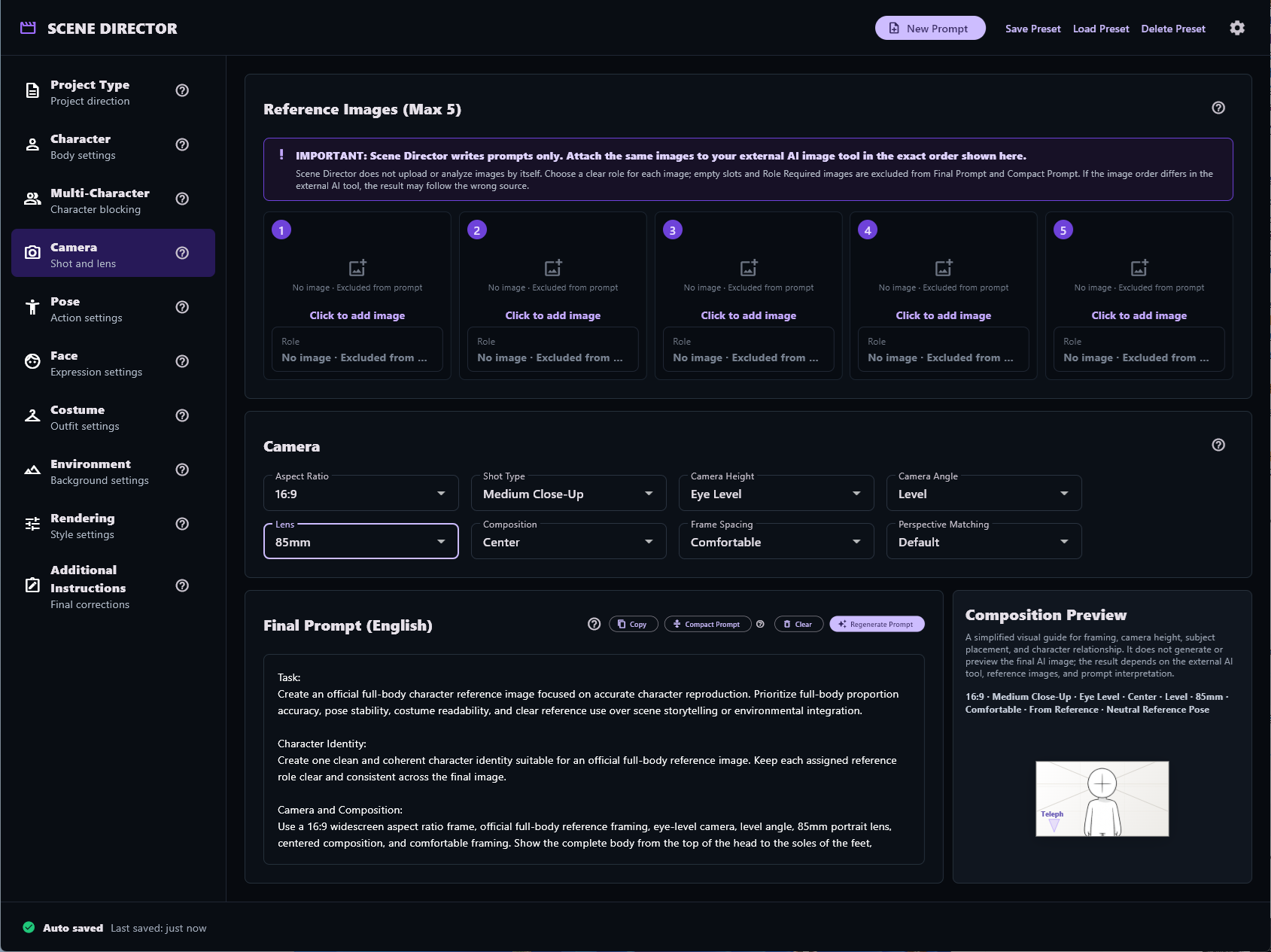
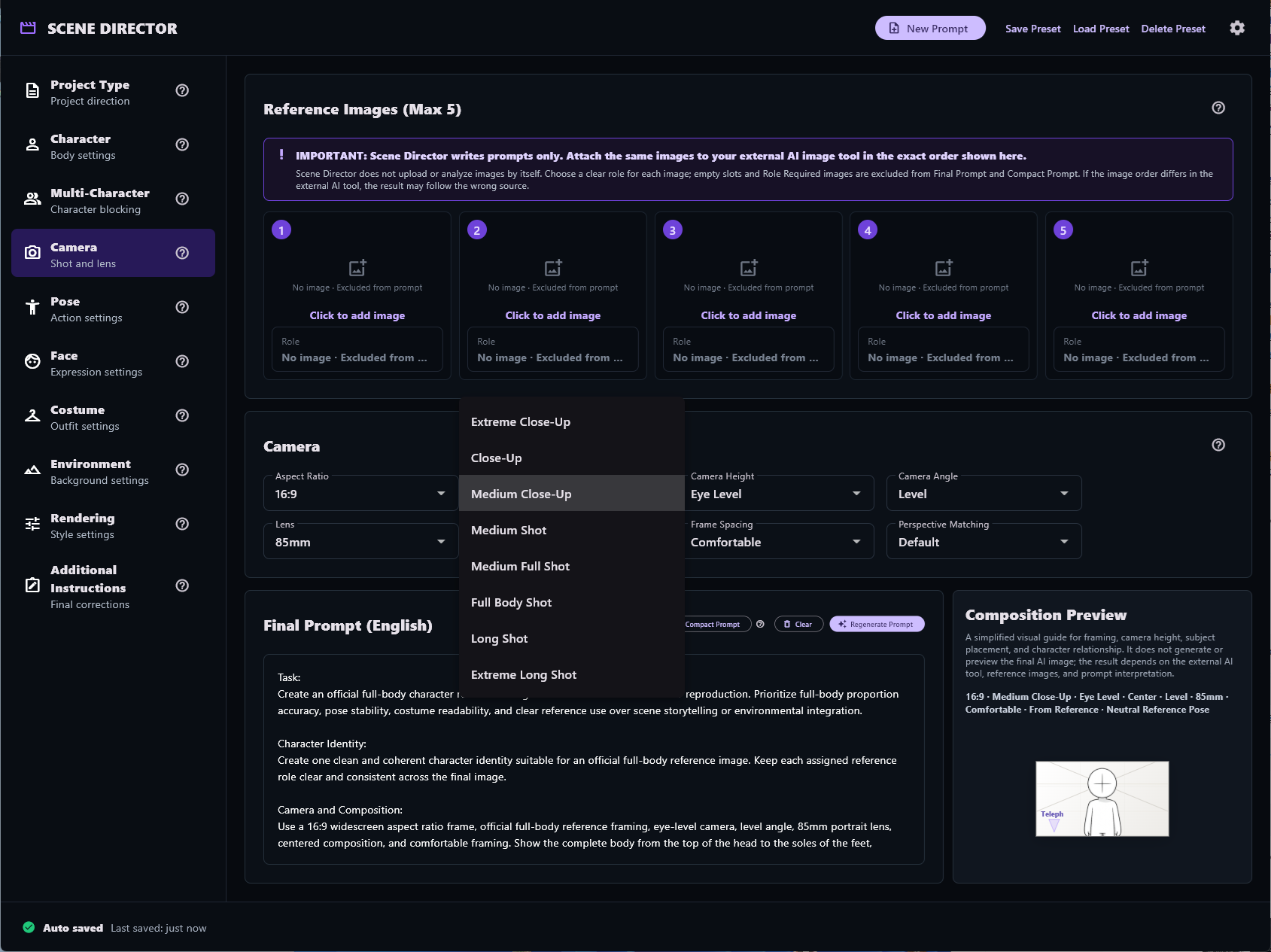
Organize reference roles, scene controls, and final prompts in one local workflow.
Overview
Scene Director is not an image generation AI or an image generation server. It does not upload reference images to another service automatically.
It helps creators organize image roles and creative direction, then assemble a structured Final Prompt in English. The user copies that prompt to an external AI image generation service and uploads the reference images there.
Core workflow
Select a Project Type, add up to five reference images, and assign a clear role to each one.
Set character, camera, pose, face, costume, environment, rendering, and additional instructions.
Copy the English Final Prompt, then upload the same references to the external tool in the same order.
Current controls
Assign a clear role to each reference image. Empty slots and Role Required images are excluded from prompt output.
Set Character, Camera, Pose, Face, Costume, Environment, Rendering, and Additional Instructions.
Generate a detailed English Final Prompt or a more compact prompt from the current settings.
Restore the last session automatically and save, load, or delete named presets locally.
Reference image order
Attach the same reference images to the external AI tool in the exact order shown in Scene Director. Each image can be assigned a role before you copy the prompt.
What Scene Director is
Scene Director is a Windows application for building structured prompts for image-to-image generation. It is not an image generator, does not run an AI image model, and does not automatically upload reference images. You copy the final English prompt into an external image-generation service and upload the same reference images yourself.
Character identity, body type, costume, pose, facial expression, camera, composition, environment, rendering, and additional instructions can compete for attention when they are mixed together. Separating them helps make each role and priority easier to review without promising a particular result.
It is useful for AI image creators, storyboard and concept artists, designers, visual directors, creators working with recurring characters, and anyone who often rebuilds complex image-to-image prompts.
No. It prepares prompt and reference-organization information for an external image-generation service.
No. Reference images remain selected locally in the app; you upload them to the external service yourself.
When prompt instructions refer to image order, keeping the same images in the same sequence makes the workflow easier to follow.
Final Prompt is the detailed English output; Compact Prompt is a shorter version based on the current settings.
Last-session and preset settings are stored locally under %APPDATA%\Scene Director.
No. Clear roles and structured instructions can reduce conflicting details, but external services and results remain outside the app's control.
Practical guidance for reference-driven image-to-image workflows.
Organize references, scene direction, camera choices, and final instructions.
Read guide ?Keep reference roles and upload order aligned throughout the workflow.
Read guide ?Reduce conflicts between identity, body, costume, pose, and camera instructions.
Read guide ?