Design the character
Build a single persona through structured identity, face, hair, body, outfit, and background controls.

URSUS Loft product
Structured character design for image generation.
A local character design and prompt-building tool for creating consistent fictional personas across image-generation workflows.
Developed and published by URSUS LoftCreator credit: BEAR Works
Inside the app
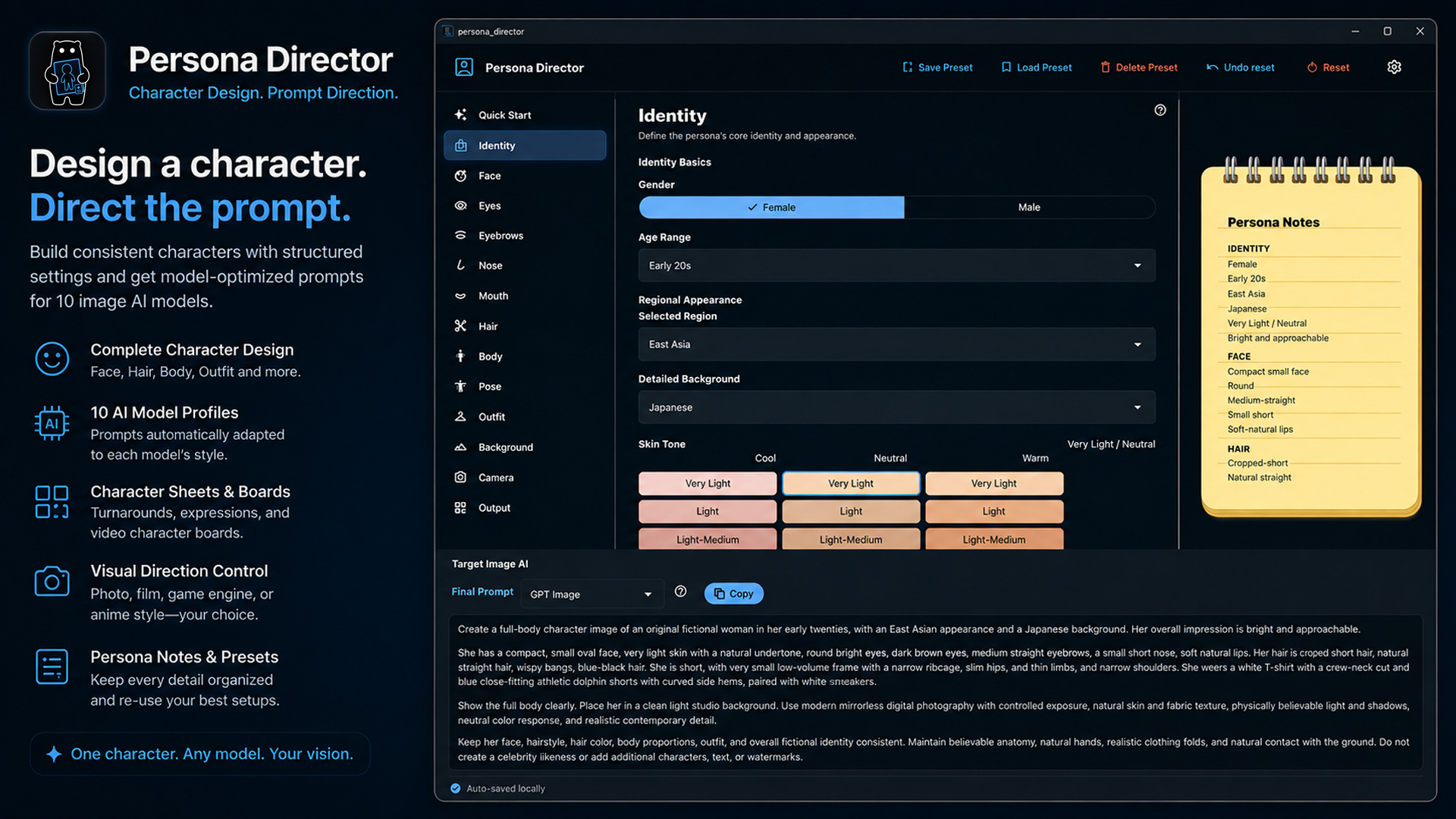
Shape a fictional persona with clear, independent character-design controls and review the generated prompt in one local workflow.
Overview
Persona Director is a Windows application for designing a single fictional character and assembling a structured prompt from that design. It is not an image generator and does not run an image-generation model.
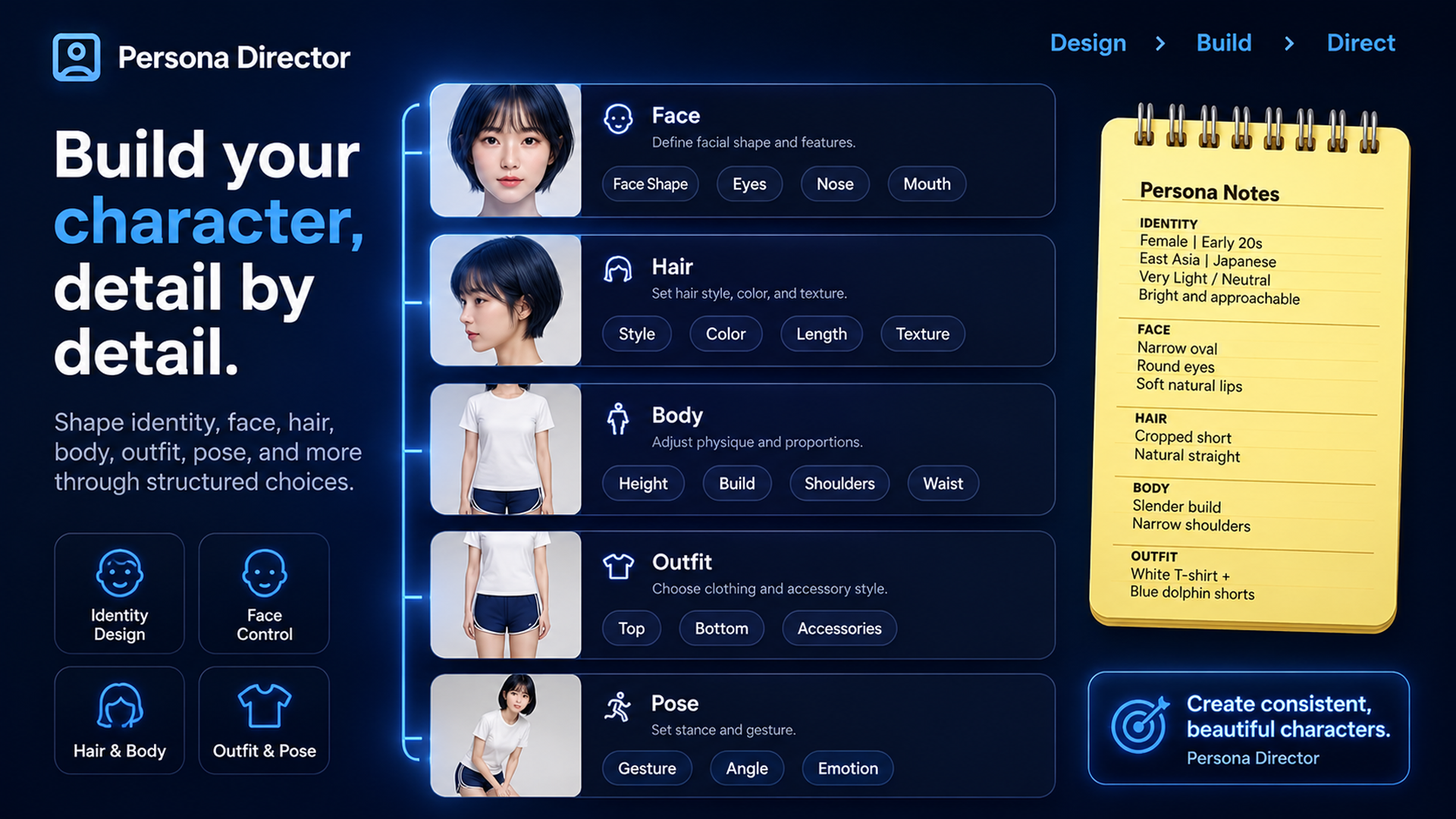
Its character controls cover identity, face, eyes, eyebrows, nose, mouth, hair, body, outfit, background, and output. The prompt stays grounded in the selected character configuration rather than a scene or camera-blocking workflow.
Core workflow
Build a single persona through structured identity, face, hair, body, outfit, and background controls.
Select a character image type and a capture style such as Mirrorless Digital Camera, 35mm Film Camera, or iPhone Camera.
Choose a target image AI, then copy the structured prompt created from the current character configuration.
Current controls
Define identity, face shape, eyes, eyebrows, nose, mouth, facial impression, and related visible details.
Organize hairstyle, physique, clothing, and styling choices independently so they remain easy to review.
Create single portrait, full-body, or character-sheet prompt directions from the selected persona.
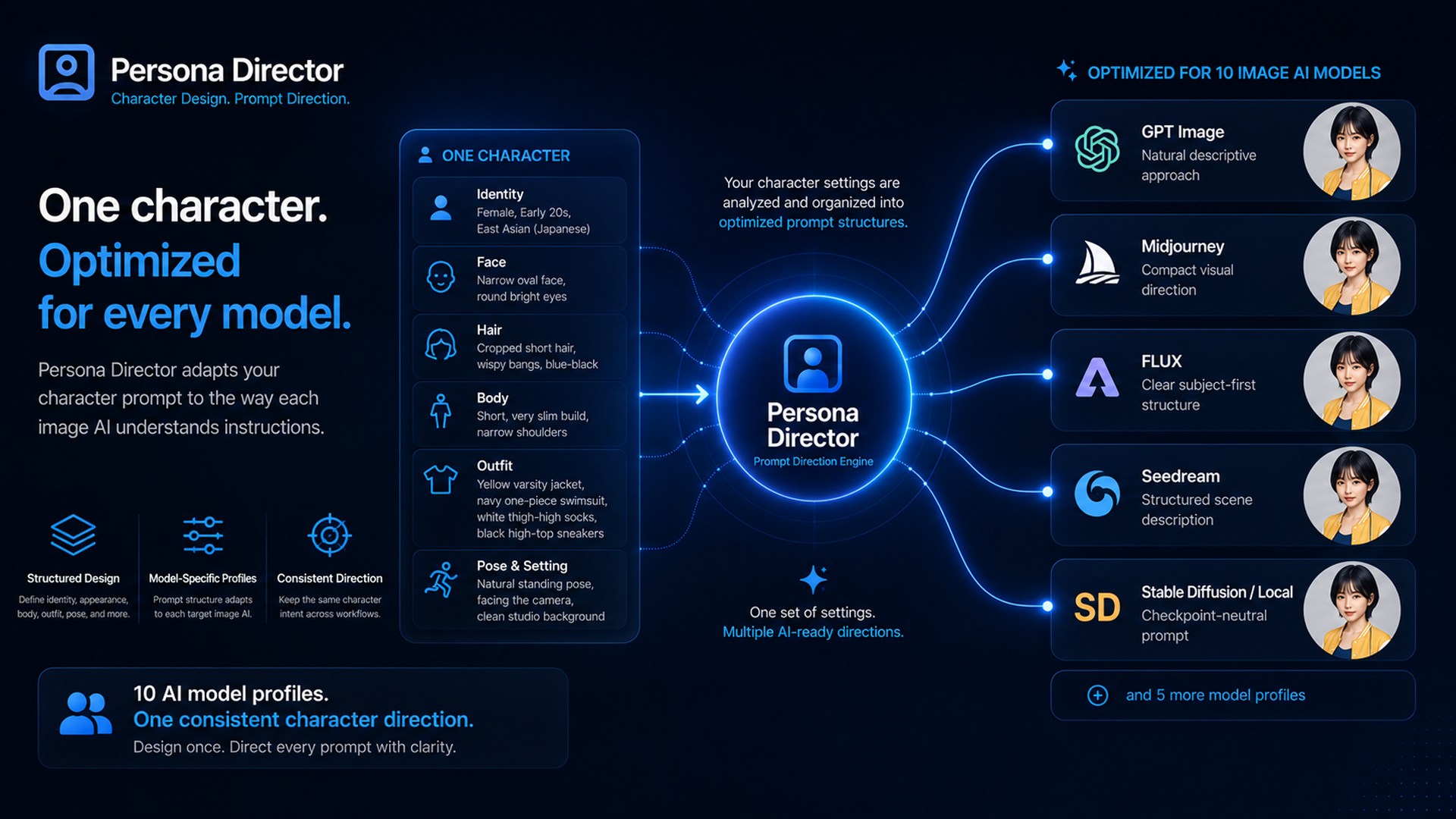
Format the same persona for GPT Image, Nano Banana, Midjourney, Grok, FLUX, Qwen Image, Z-Image, Seedream, Krea 2, or Stable Diffusion and local models.
Product information
What Persona Director is
Persona Director is for creating a fictional persona with a structured set of visual decisions. It separates the character into understandable controls, then turns the active configuration into a prompt for a selected target image AI.
Face, hair, body, outfit, background, and output choices can drift when they are written as an unstructured list. Keeping them separate makes the character easier to revise, compare, and carry across image-generation workflows.
It is useful for character artists, concept designers, writers, game and animation creators, and image-generation users who want a repeatable way to define one fictional character.
No. It creates and structures prompts from the character configuration for use with an external image-generation service or local model workflow.
Current target profiles include GPT Image, Nano Banana, Midjourney, Grok, FLUX, Qwen Image, Z-Image, Seedream, Krea 2, and Stable Diffusion or local models. Model names identify prompt-optimization targets and do not imply affiliation with their providers.
Yes. Character Sheet is one of the available output types, alongside Single Portrait and Full Body.
Persona Director is a local Windows application. It prepares prompts from the settings you choose; image generation happens in the external service or model workflow you select.